Logging into myPerformance
- Log into myWSU. myWSU.wichita.edu
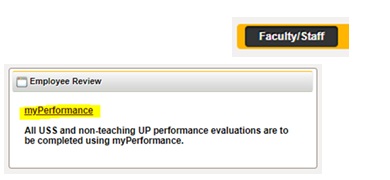
- Under the Faculty/Staff tab
- Scroll down to the “Employee Review” box
- and click on the “myPerformance” link
Accessing Evaluations
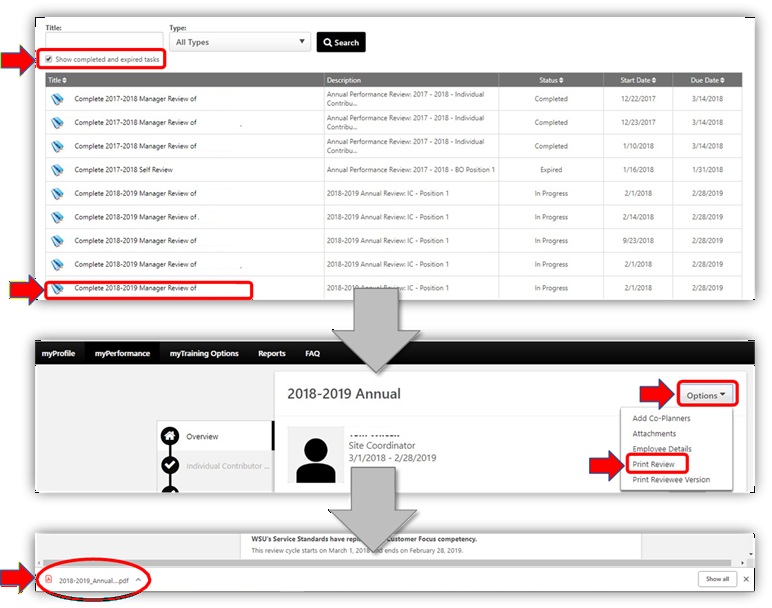
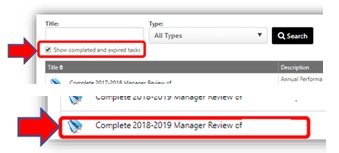
- You may need to checkmark the “Show completed and expired tasks”
- Select the review you would like to save/print.
Save/Print Options
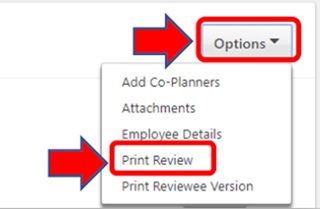
- Using the “Options” dropdown
- Select “Print Review”
- The evaluation will download to a PDF You may do one or both of the following:
-
- Save the evaluation to keep or send as an electronic version
- Open the evaluation to print a hard copy