

Office of Instructional Resources
New Blackboard Gradebook
Blackboard has redesigned the Gradebook grid view to be faster and easier to use for large classes. Here is what is changing, what is staying the same, and where to get help.
Rollout date: the new Gradebook went live on August 7, 2026. This change will not affect any existing data, including grades, feedback, or student submissions.
The redesigned grid view shows more students and columns at once by removing icons from the column header and reducing whitespace. Grade and post icons in the column header identify how many submissions need grading and how many grades need posting, which cuts down on clutter in individual cells.
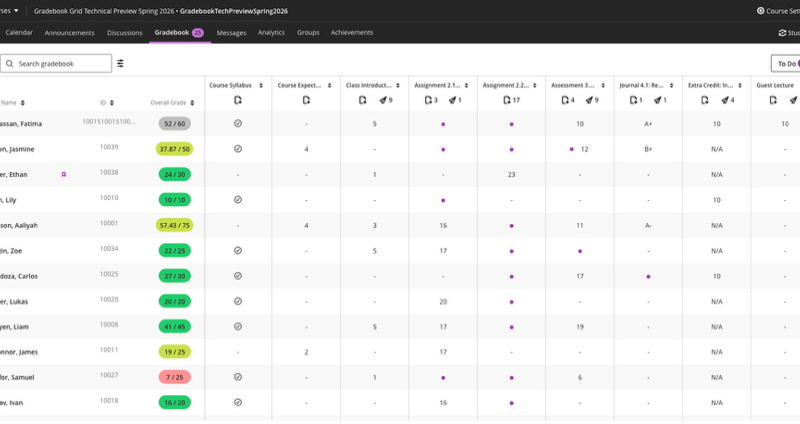
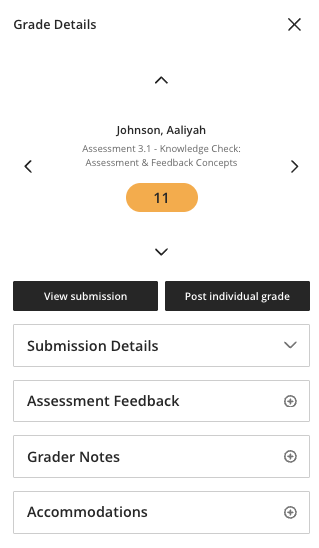
A new Grade Details panel opens alongside the gradebook when you select a student's cell. It surfaces submission details, assessment feedback, grader notes, accommodations, and posting status without navigating away from the grid. An Assessment Details panel does the same for column-level information.
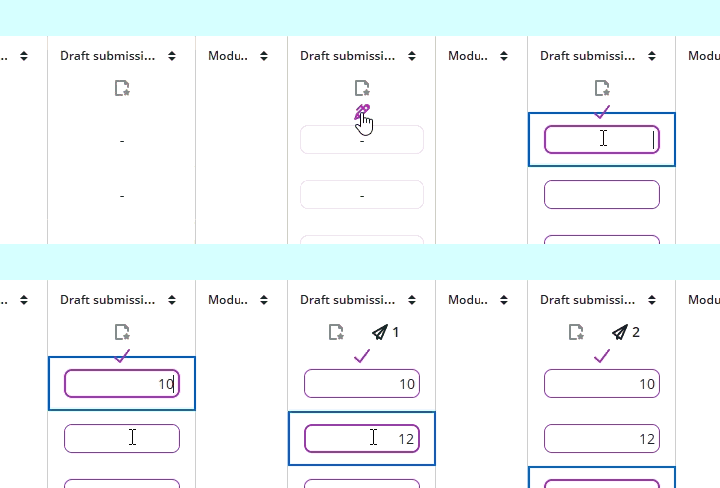
Hover at the top of any column and select the pencil icon to enter edit mode, then move through students with the Enter key. It is quick for entering grades in large classes, but it is not something you can trigger by accident.
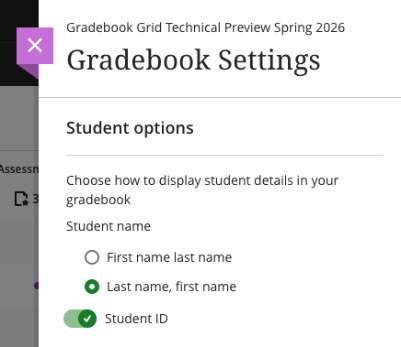
Choose first-name-first or last-name-first display order. Toggle the student ID column on or off. Sort by name, ID, overall grade, or any gradebook column.
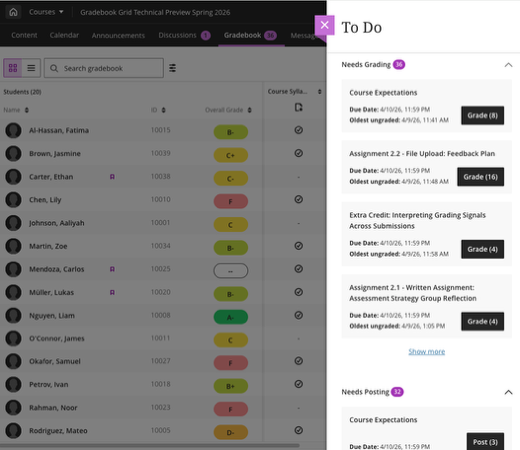
The To Do panel replaces the old Overview tab. It keeps you in the context of the gradebook while surfacing exactly what needs attention: ungraded submissions and unposted grades, organized by assessment.
Most of the tools and workflows you already know have not changed:
- Enter grades, then post them separately to control when students see them.
- Gradable Item View still provides a task-oriented layout. Select the parallel-lines icon in the upper left to switch views.
- You can still export the gradebook to work offline and re-upload it. This tool has moved to the Gradebook Settings page.
- View student submissions and annotate uploaded files using the same flexible grading workflow.
- Calculate overall grades using total, weighted, or custom calculations.
Questions about the new Gradebook? Email OIR@wichita.edu.
More from Blackboard: Blackboard Gradebook Resources Hub.