

LifeJourney • Wichita State
You earned it.
Show it.
Access your applied learning credentials and build an online resume and portfolio you can share with employers.

Start at Wichita State. Keep it for life. Your LifeJourney account and credentials stay with you after you leave Wichita State.
Get started
How to log in
Use your Wichita State ID email address to sign in through Territorium.
-
Open LifeJourney
Go to life.territorium.com.
See the login screen
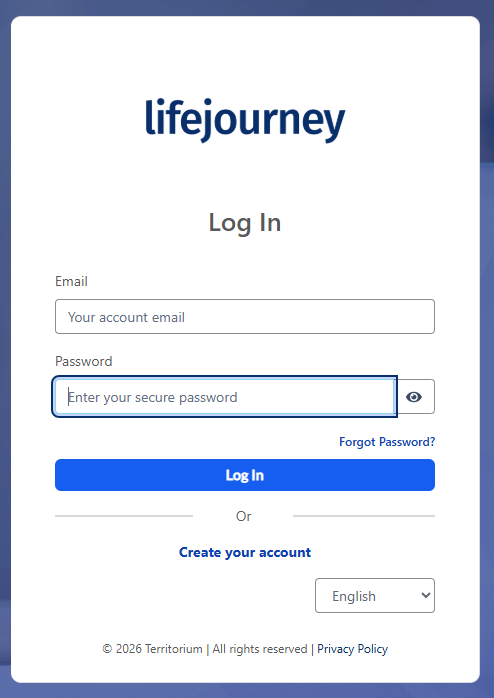
Select the image to view it at full size. -
Enter your Wichita State ID email address
Use your Wichita State ID followed by @wichita.edu.
A123B456@wichita.edu
Example only—use your own Wichita State ID.
Do not use your @shockers.wichita.edu student email address.
-
Select “Log in with SSO”
Follow the prompts to sign in with your Wichita State credentials.
See the sign-in example
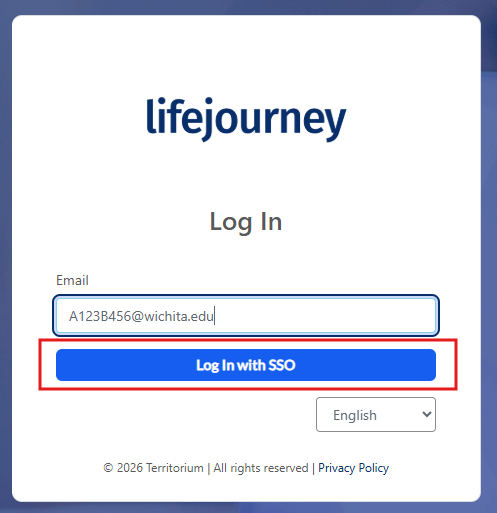
Select the image to view it at full size. -
Find your credentials
Access your available credentials and start building your resume and portfolio.
Recognize your experience
Get your applied learning credentials
Applied learning completion
Earn a credential for completing your applied learning experience.
Career readiness competencies
Earn additional competency credentials through other work you complete during your experience.
Once your credentials are issued, log in to LifeJourney to access, download and share them.
Access Your CredentialsMore than a resume
What is LifeJourney?
Think of it as your digital credential wallet and professional portfolio in one place.
Collect your credentials.
Keep credentials from Wichita State and other organizations together.
Show your work.
Add research, presentations, designs, writing samples and other projects.
Share with employers.
Build an online resume and portfolio, then share your link or create a QR code.
Build a portfolio that grows with you.
Give employers examples of what you can do. Bring together your resume, credentials and projects—then send employers one link. Keep it updated during college and throughout your career.
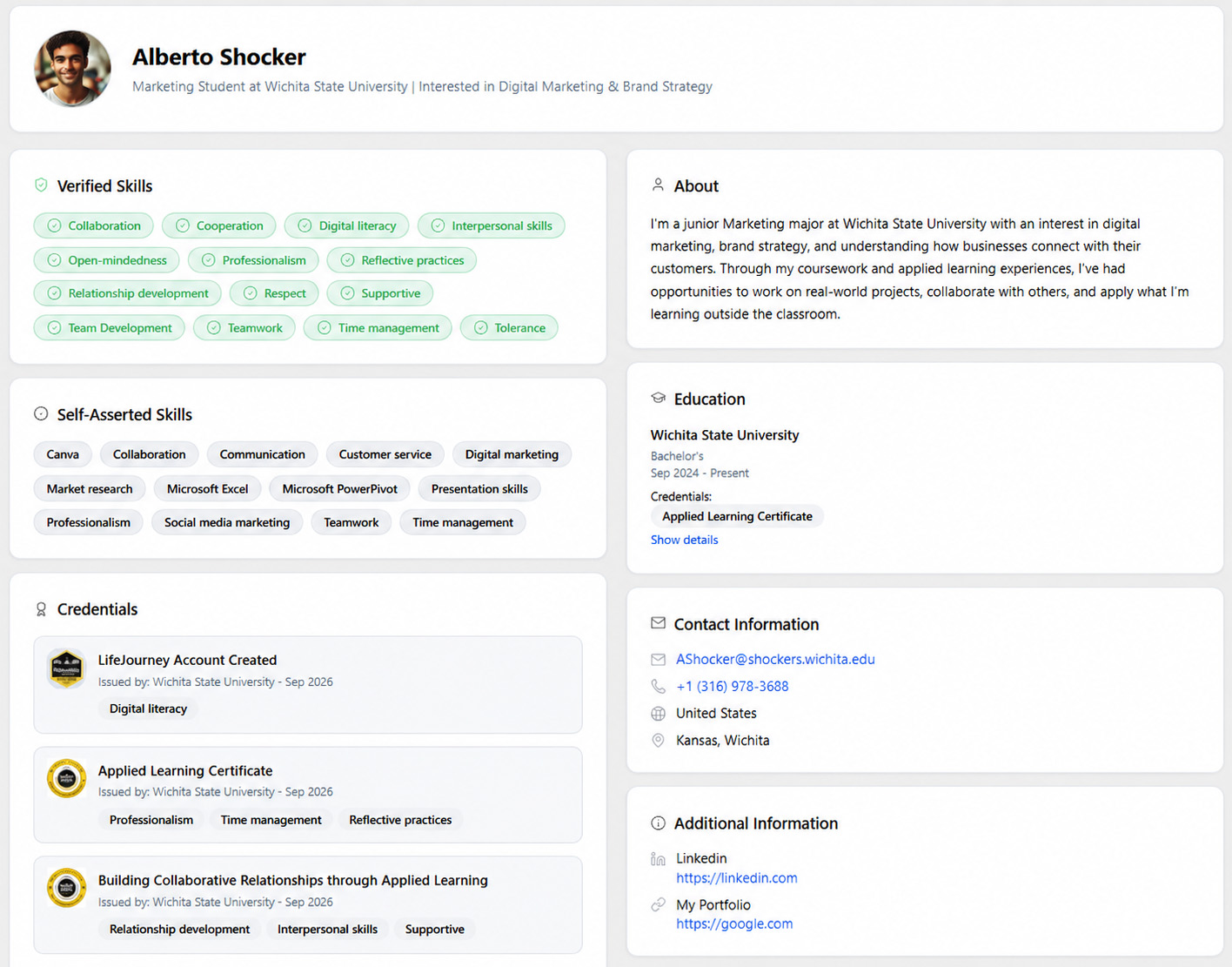
Your next chapter starts here.
Get your credentials. Show your skills. Keep building.