

OneNote Essentials 2016 is for the desktop application of OneNote. This particular
version is not currently available on Mac. There are a lot of different versions out
there, so here is a quick way to tell.
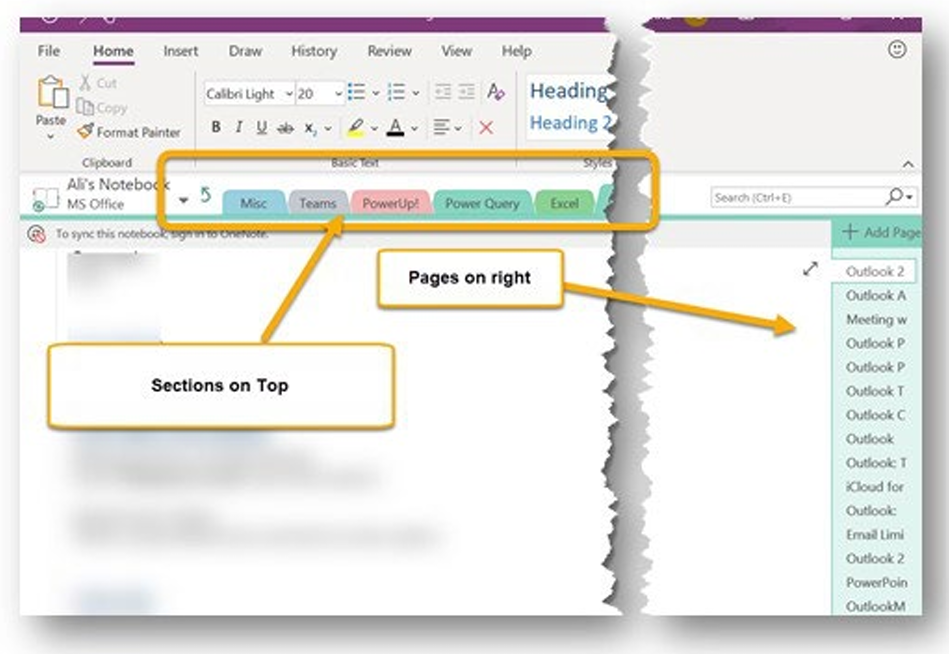
The correct version will show your sections on top, and pages on the right, like this:
Correct Version
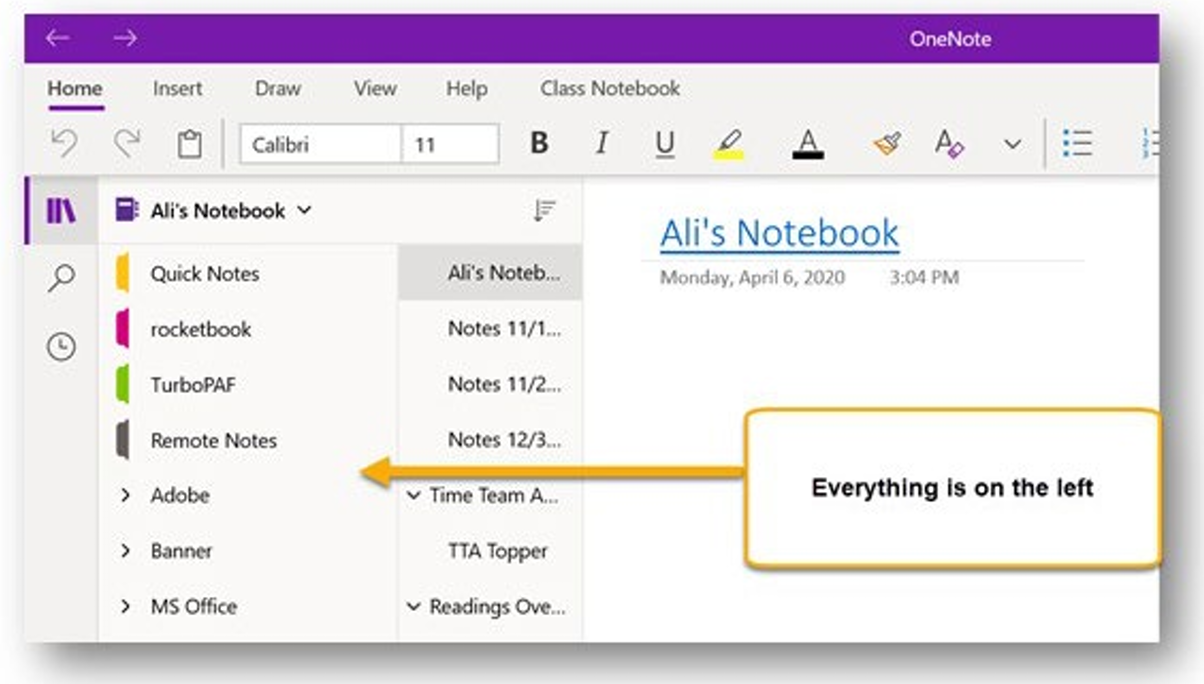
The other versions will show everything on the left side of the screen… and the icons
will be simplified in the ribbon. There also is No File Tab. This is NOT the version
we train on, and has far fewer features than the other one I showed you:
Incorrect Version
What to do if yours is the incorrect version
If the second picture looks like the OneNote on your computer, here is where you can
go to download the one you need: OneNote 2016 Desktop application. I will explain
more about this during the session.
What to do if you are on a Mac (or unable to download this desktop version)
Contact us, and we may try to get together a session for OneNote for Mac. Unfortunately,
you won't be able to open the exercises for this session on the Mac version.