Working with Wichita State's Color Palette Standards

To help build consistency with color decisions, the following color palettes have been developed. These palettes can be used to help with the process of color selection in publication and collateral materials design. There are three basic color palettes in the Wichita State Visual Identity Standards system: the Primary Palette, the Primary-Centric Palette and the Supplemental Palette.

Important note

The colors shown in the swatches are only for reference and will not print accurately on inkjet or laser color printers. They will not view accurately on screen. the way to have a precise visual representation of how these colors look is by matching to a Pantone® Color System guide using the numbers provided with these swatches.

Primary palette

To best support the visual identity standards, always use color in moderation. The Primary Palette has been built to help designers do this by limiting its function and color options. It consists of black, white and Pantone® 116c (yellow) for coated applications, and black, white and Pantone® 109u (yellow) for uncoated applications. Its function is to provide color choices for a flat background color area (a dominant field that is filled with any one of these colors). The limited amount of colors in this palette helps designers focus their efforts toward other elements of design (dynamic photography and interesting, highly functional relief elements), which are where the power and sophistication of this design program reside.

Black
C0 M0 Y0 K100
Hex: 000000

Shocker Yellow PANTONE® 116C
C0, M14, Y100, K0
Hex: FFDB00

White
C0, M0, Y0, K0
Hex: FFFFFF

Primary-centric palette

The Primary-Centric Palette consists of colors that are closer to yet slightly expanded from Wichita State's Primary Palette. These colors are the safest colors to use to avoid color incompatibilities in design projects. Their origins are within the Primary Palette, and they can be relied upon in most cases to offer color choices that are more harmonious with that palette. It is ideal not to use these colors in a dominant way but rather as relief elements, providing more of a color "spike" or "highlight" to help feature or accent a part of a layout.

PANTONE® 438
C58, M66, Y59, K46

PANTONE® 436
C24, M25, Y26, K0

PANTONE® 1345
C0, M14, Y47, K0

PANTONE® 1385
C0, M44, Y100, K7

PANTONE® 422
C0, M0, Y0, K33

PANTONE® 146
C0, M43, Y100, K33

PANTONE® Cool Gray 3
C0, M0, Y0, K17

PANTONE® 9160 (from Pantone® pastel color formula guide)
C2, M8, Y25, K0

Supplemental Palette

The third color palette is the Supplemental Palette, which is reserved for colors that go beyond the Primary-Centric Palette. An example of such an application might be when needing to color-code or differentiate between numerous pieces of similar printed literature. The colors from this palette venture further from the Primary Palette. However, these colors are lower in saturation to allow them to easily work with and connect to the Primary Palette in more of an accent or relief role. The best way to think about usage of this palette is "sparingly."

PANTONE® 683
C11, M100, Y0, K43

PANTONE® 681
C21, M61, Y0, K4

PANTONE® 7526
C0, M65, Y100, K35

PANTONE® 173
C0, M69, Y100, K4

PANTONE® 7498
C25, M0, Y100, K80

PANTONE® 7492
C12, M0, Y50, K7

PANTONE® 7477
C80, M0, Y10, K68

PANTONE® 7458
C40, M0, Y5, K6

PANTONE® 2768
C100, M78, Y0, K44

PANTONE® 2727
C71, M42, Y0, K0

PANTONE® 1817
C0, M90, Y100, K66

PANTONE® 1807
C0, M100, Y96, K28

Example

To further illustrate the way these three color palettes can offer easy, powerful and attractive design solutions while allowing designers to focus on the more critical aspects of the design pieces, an example of just one design solution using the three palettes has been included.

In the example of a typical brochure cover design, the largest background area or "field" of flat color is at the bottom and is filled with white from the Primary Palette. The subject of the brochure (in the band of text in the upper right) is accented with a small "spike" of color (dark violet) from the Supplemental Palette. This treatment as a relief element helps focus attention toward the subject while also providing an anchor for the text. The area around the white band that houses the subject text has been filled with a color from the Primary-Centric Palette, bringing more attention to the title while introducing another small area of color (this instance of color allows the designer a precedent for using the color perhaps on the interior of the brochure). Finally, the photograph provides an area of great visual interest and another dynamic source of color for the designer to explore. This is made possible in part because many of the color selections have been simplified by the three-palette system, allowing more time to be focused on composition and photographic interest.

This is just one simple example of how the system can work. Not all three of the palettes have to be used in the same design solution. Many times only one or two of the palettes may be required for the desired solution. The system is a tool to provide people responsible for design of WSU publications and collateral
materials with more time for focusing on key areas that will help elevate and unify design communication pieces.


Typographic standards

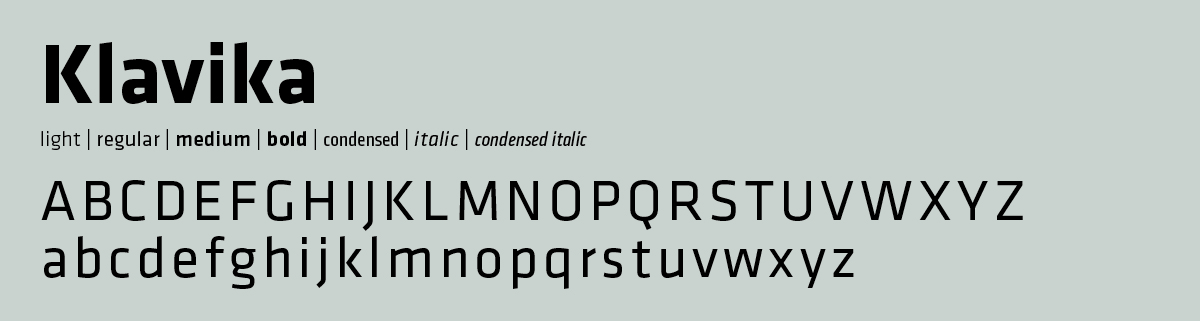
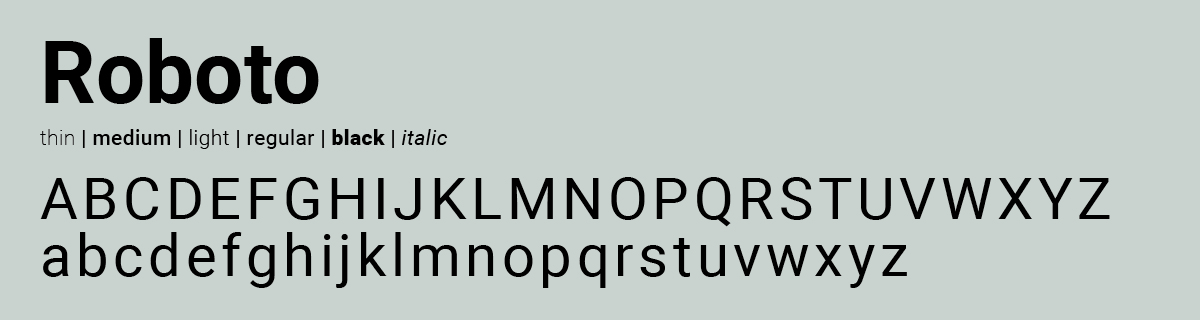
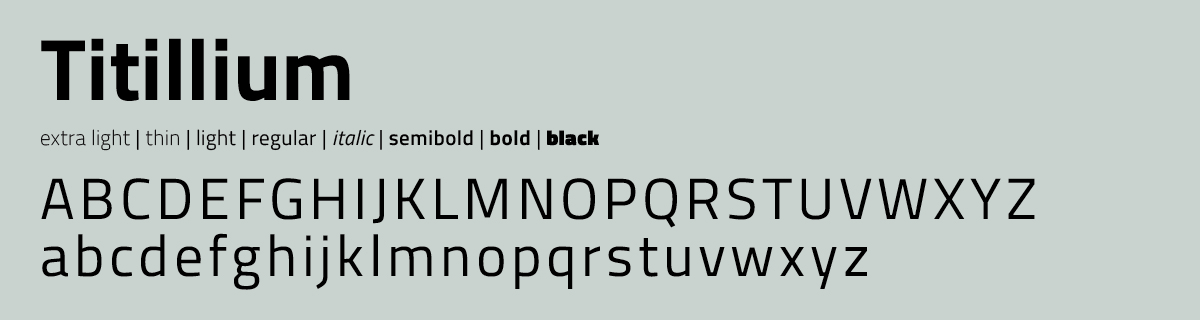
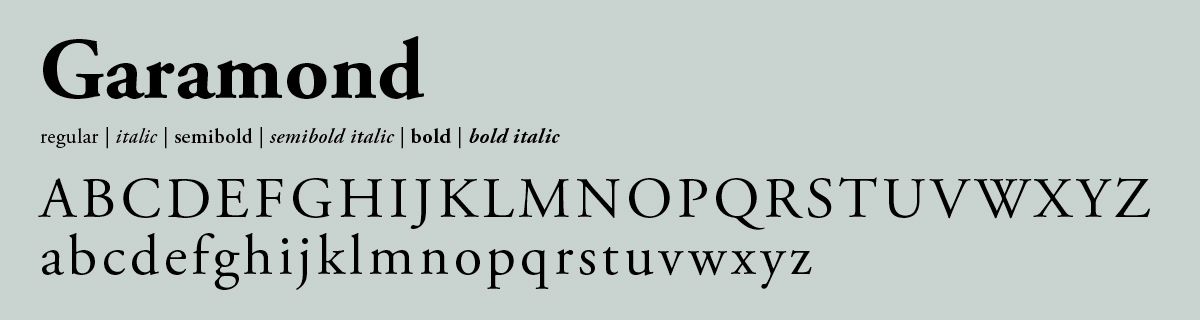
The typography of the Wichita State Visual Identity Standards system is composed of the following fonts: Klavika and Adobe Garamond. Web fonts are Roboto and Titillium.

The Klavika Font Family is under license by Wichita State. For a copy of the fonts, contact Strategic Communications.

Primary font: Klavika

Klavika font family for use in Wichita State Visual Identity Standards System

Secondary font: Garamond

Adobe Garamond font family for use in correspondence according to the Wichita State Visual Identity Standards System

Alternate secondary font: Georgia

Although Adobe Garamond is the prescribed typeface for correspondence text, this may not be a resident font on all computers. If this is the case and Adobe Garamond is not readily available, the font Georgia is acceptable as a less preferred alternate. Georgia is a resident font on all PC and MAC systems, and is available in virtually every situation.


For more information about colors or fonts, consult the WSU's Visual Identity Standards Guide.