

Choose Your ALT-Text Topic
Proper ALT-Text is one of the most basic, yet most overlooked, elements of webpage Accessibility. Use the following guides to keep your webpages up to Accessibility standards.
What is ALT-Text?
ALT-Text is descriptive text applied to an image on a webpage or in a document. For those using screenreaders such as NVDA or JAWS, ALT-Text is a vital element of a webpage.
While the user is browsing a webpage, the screenreader will read the ALT-Text aloud. This allows that user to still be able to get information from or a description of that image despite not being able to see it.
In order to meet Accessibility requirements, ALT-Text is required for all images throughout the Wichita State University website.
How Do I Apply ALT-Text to an Image?
When inserting an image on your webpage, the ALT-Text will be whatever text you place in the Alternative description field.
For images that require longer, more detailed ALT-Text such as infographics, floorplan/architectural renderings, or mathematical diagrams and processes, it is usually easier to write out the entire text in another application (Word, Pages, WordPad, TextEdit, etc.) and, once finished, copy/paste it into the Alternative description field.
Once Save is selected the ALT-Text is attached to the image.
Note: The Insert/Edit Image settings box will NOT let you apply an image until there is ALT-Text in the "Alternative description" field.
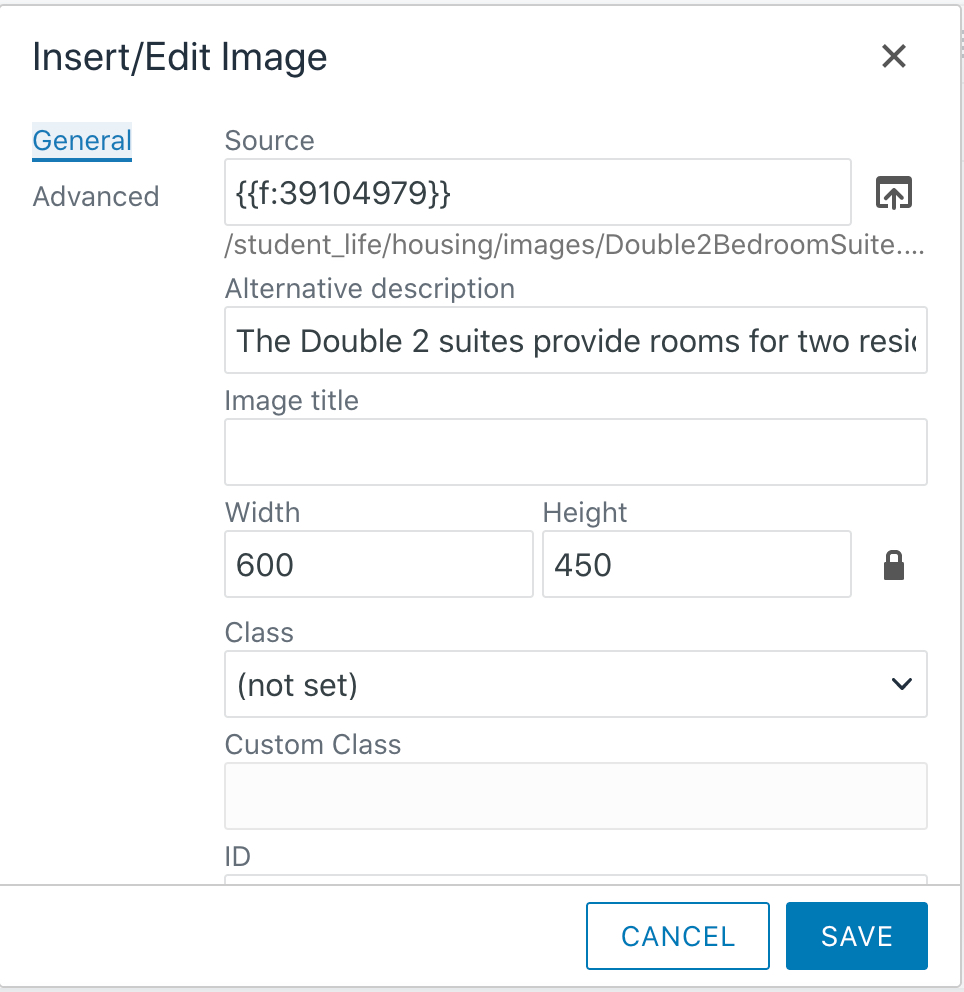
Screenshot of the Insert/Edit Image settings box. ALT-Text is inserted into the Alternative Description field.
ALT-Texting Images After Upload and Upon Publication
Modern Campus has added the option to ALT-Text images when they’re uploaded and first published in the system rather than having to ALT-Text them every time they’re used on a page.
In Pages view this option can be accessed via the More Actions button if the image is currently checked out by selection “Properties” on the “Edit” dropdown menu.
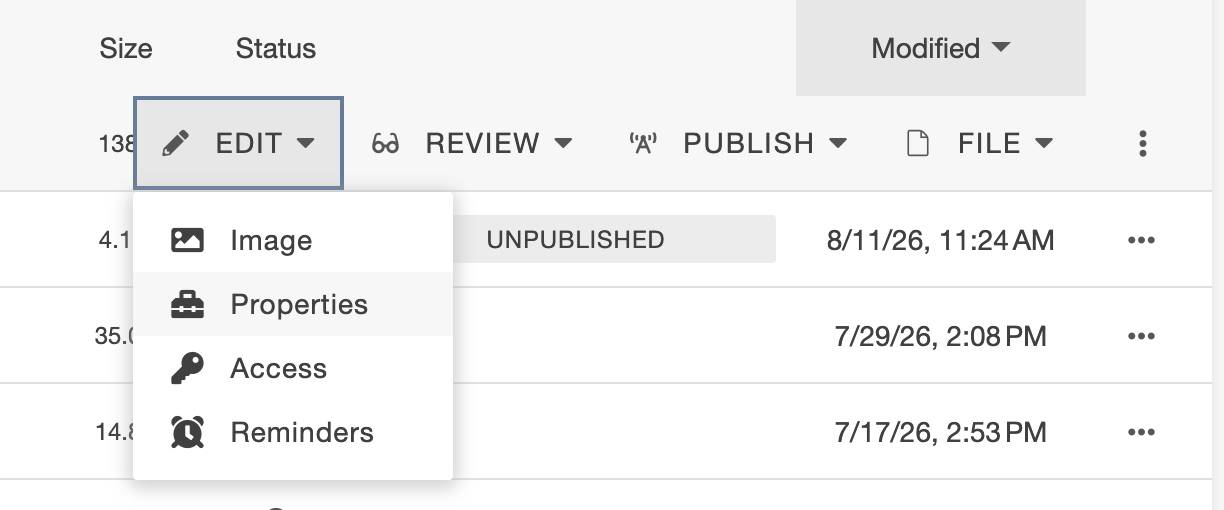
Or, if you have the image loaded in the editor and checked out, you can access it via the properties tab along the top.

A “Default ALT-Text” field has been added to Parameters.
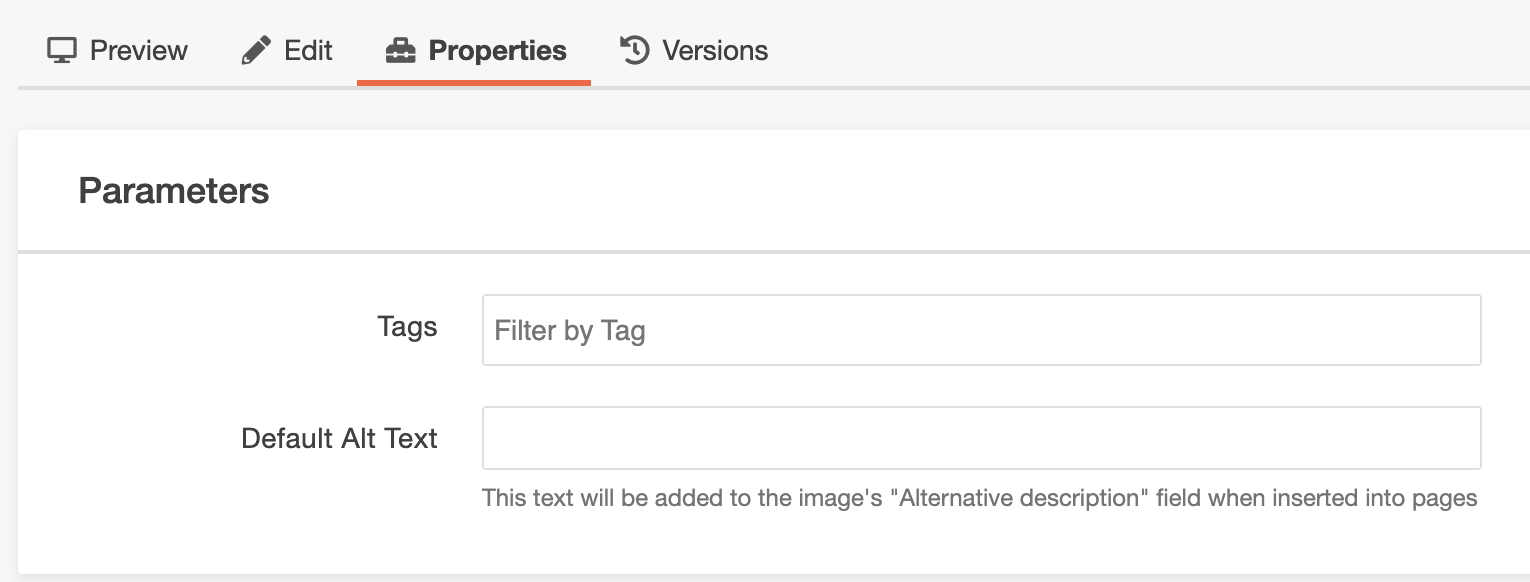
You can add ALT-Text directly within this field, then save and publish the image. From then on, whenever the image is placed on a webpage, this ALT-Text will carry over to that page as well, so you don’t need to enter ALT-Text separately every time the image is placed on a webpage.
Should you use the image and actually need a different ALT-Text than what was entered upon the image’s upload and publication, you can change it as before, by simply altering the ALT-Text of the image on the webpage itself.
My webpage published with No Known Accessibility Errors. Does that Mean My ALT-Text is fine?
Not necessarily. While Modern Campus is able to report whether ALT-Text is or is not present, as a computer application it isn't able to quantify whether existing text is contextually correct. If the ALT-Text is not contextually correct, the ALT-Text is NOT accessible.
A good example of this would be the banner image that appears on every page when it's initially created.
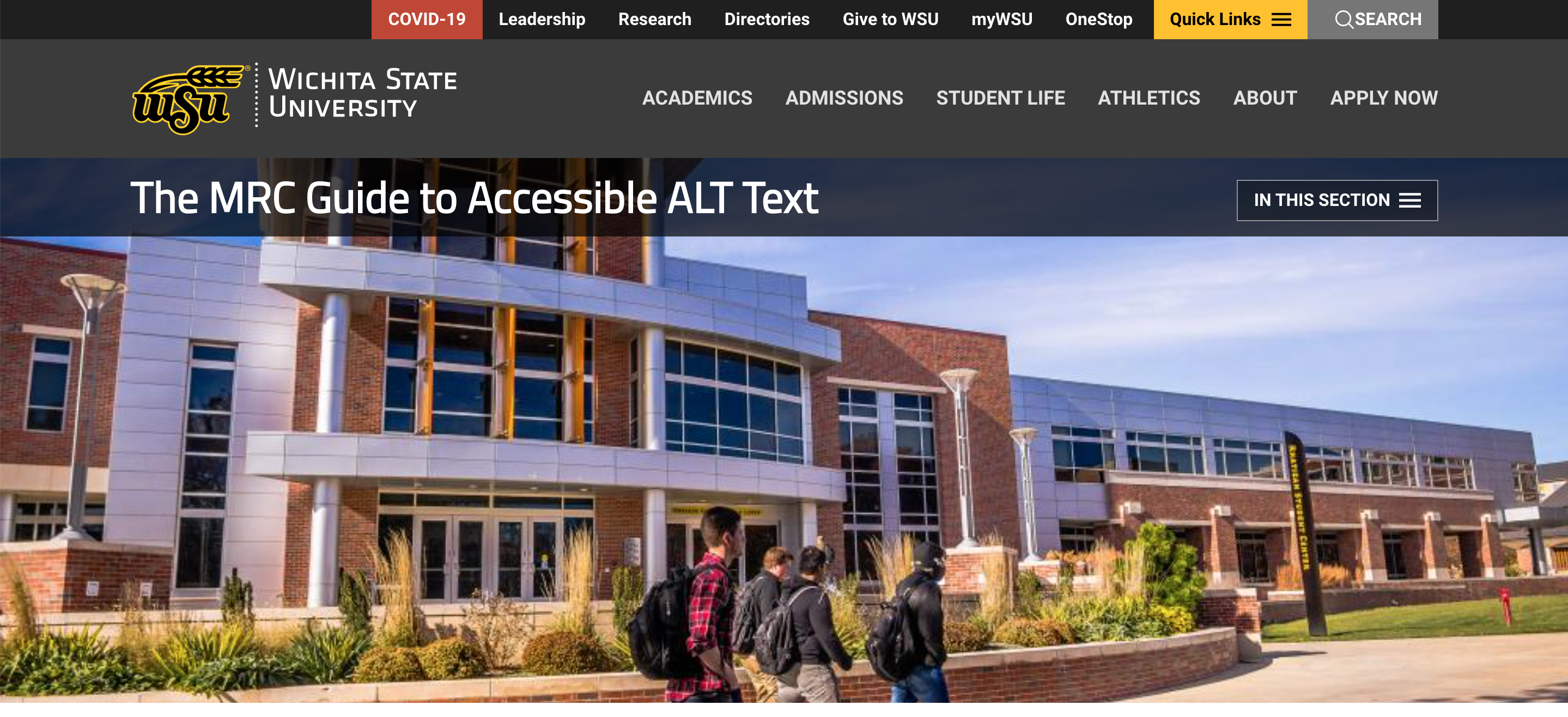
This image appears across the WSU website on many pages... and it's an accessibility error on almost every page it occurs on. Yet it isn't reported in Omni's accessibility check when a page is published.
The image has ALT-Text automatically applied when the page is created, but that ALT-Text is contextually wrong.
Let's take a moment to see why its ALT-Text is contextually incorrect, why the system doesn't recognize the error, and how we can fix it.
Setting Banner Image ALT-Text
Setting Banner image ALT-Text is different from setting ALT-Text for other images on a webpage. With the page checked out and while in edit mode, select the MultiEdit button toward the top right of the screen.
In the Hero Image field we can see the dependency link for the image. The Image Description field below it is where the ALT-Text for the banner image is set. Note that it currently says "placeholder." The word "placeholder" is automatically generated by the system when the page is created. It's literally placeholder text meant to be replaced by the person creating and editing the page, be it with descriptive text of this specific banner image or with descriptive text of any other image the creator/editor may use as a banner image instead.
As "placeholder" is not descriptive text for the image it is, technically, an accessibility error. The system does not recognize it as such because it only recognizes whether there is or isn't ALT-Text - it can't determine if that text is proper in context or not. Therefore, we need to change the Image Description text.
To correct the issue, we replace the text "placeholder" with, in this example, "Four WSU students walking by Rhatigan Student Center." If we wanted to go into more detail we might note that it's a sunny, pleasant-looking day, maybe which entrance the students are passing in front of, or maybe what direction they're heading. For now we're staying with the basic description.
Once the text has been replaced, select Save and publish the page. The ALT-Text issue in the banner image has been corrected.




Avoid "Placeholder" Style Text
"Placeholder," as seen above in the default banner image example, is an obvious sample of this type of error, but vague placeholder-style reference is very common. Some examples would include:
- "Image"
- The image's Filename (banner.jpg, logo.png, etc.)
- "ALT-Text" (often a notation that ALT-Text will go there that the page creator/editor forgot to go back and correct)
- "Sample"
- "Example"
- "Graphic" or "infographic"
The variations on this theme could be endless.
ALT-Text for Infographics
For infographics, ALT-Text should be written out to the greatest detail possible based on the data and information presented. Following are some samples of proper infographic ALT-Text.
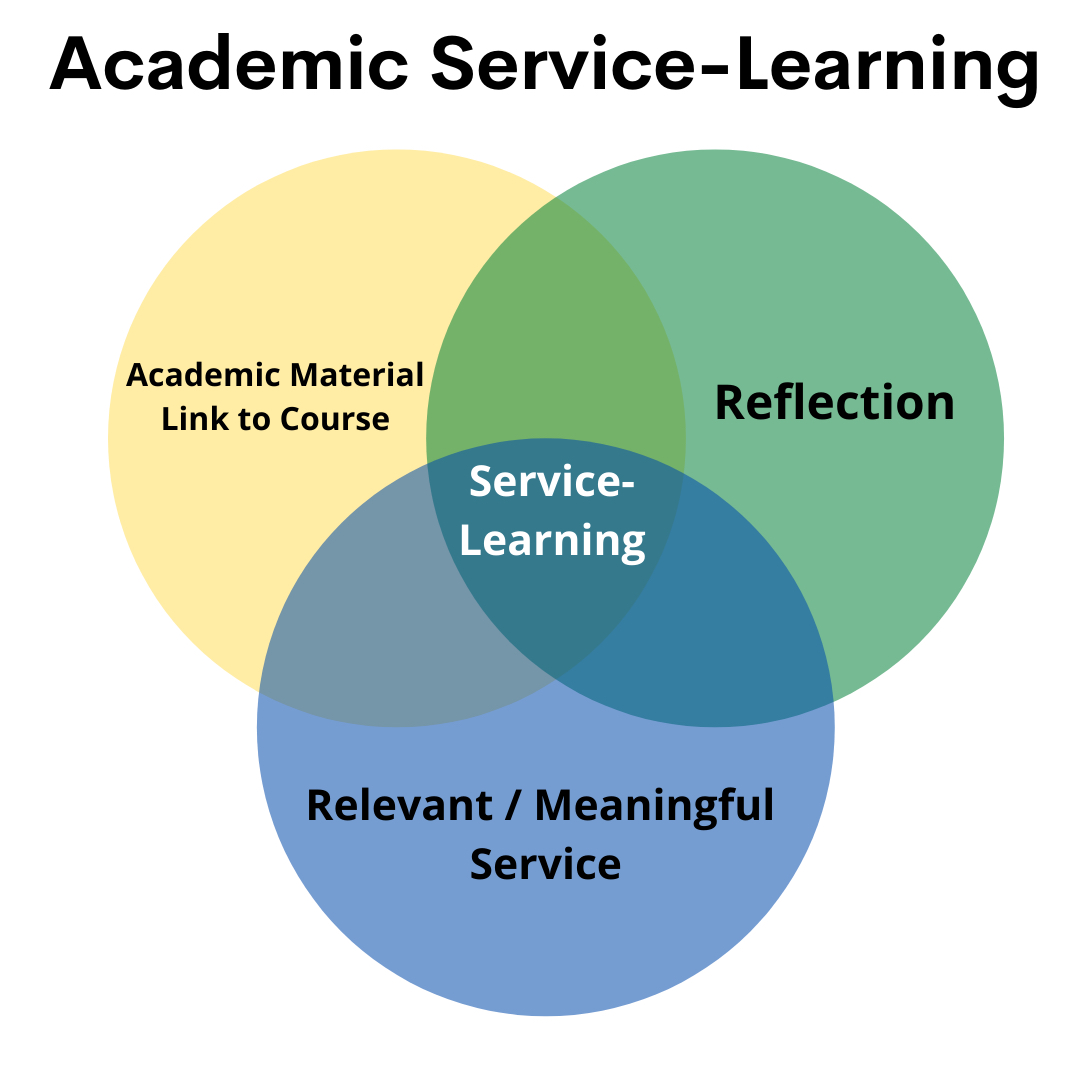
ALT-Text:
Venn Diagram: three circles; first labeled "Academic material link to course;" second labeled "Reflection;" third labeled "Relevant/meaningful service." The circles overlap in a central portion labeled "Service-Learning."
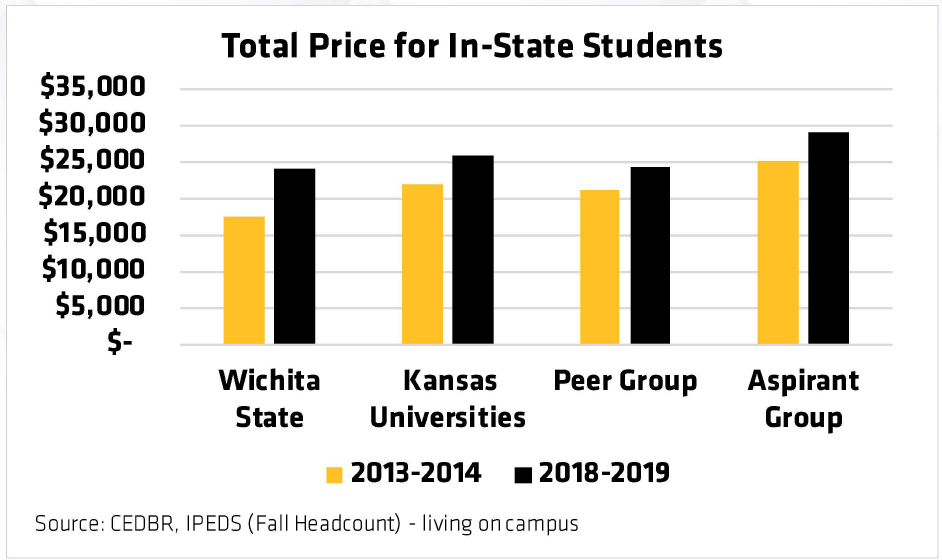
ALT-Text:
NOTE: The dollar amounts on the vertical axis do not allow an exact knowledge of the amount. Therefore, we describe the amount as exactly as we can based on what we can tell.
Chart: Total price for in-state students. Chart compares costs for four entities for 2013-2014 and 2018-2019. 2013-2014: Wichita State University, about $17,500; Kansas Universities, about $22,000; Peer Group, about $22,000; Aspirant Group, $25,000. 2018-2019: Wichita State University, about $24,500; Kansas Universities, about $25,500; Peer Group, about $24,500; Aspirant Group, about $29,500. Source: CEDBR, IPEDS (Fall Headcount) - living on campus.

ALT-Text for top part:
Figure showing areas where the highest alumni economic contributions come from in the continental United States. Highest contributions come from the states Texas and California with Colorado and Missouri as close runner ups. Peak amount: $332 million from Texas.
ALT-Text for bottom part:
Figure showing areas where the highest alumni economic contributions come from in the state of Kansas. Highest contributions come from Butler and Johnson counties for amounts of $196 million.
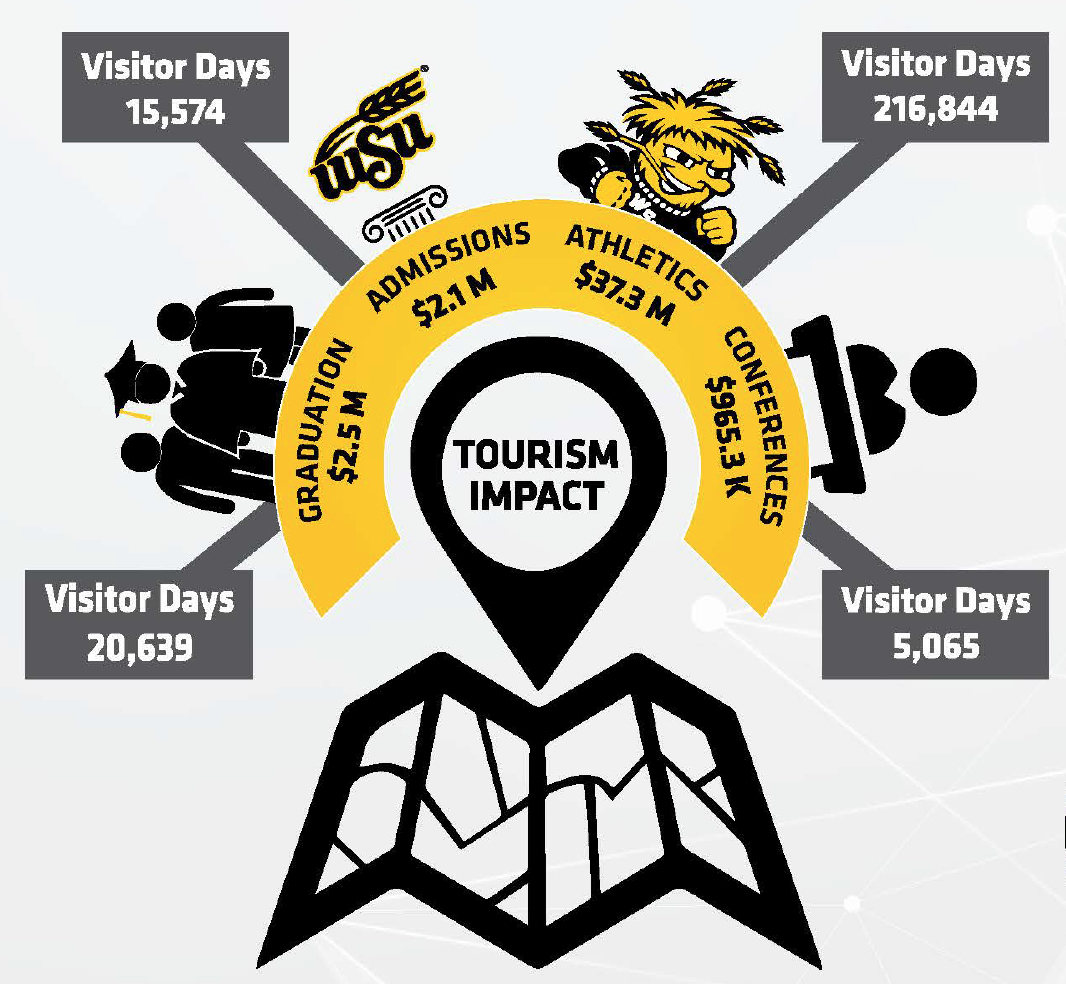
ALT-Text:
Figure showing tourism monetary impact of WSU. Graduation accounted for $2.5 million, admissions accounted for $2.1 million, athletics accounted for $37.3 million, and conferences accounted for $965,300. Visitor days totals for each category: 20,639 for graduation, 15,574 for admissions, 216,844 for athletics, and 5,065 for conferences.
ALT-Text for Floorplans/Maps
Floorplan and map ALT-Text should be used to describe or outline that physical space as much as possible given the provided information. As such, in the example below, ALT-Text such as, "Double two bedroom suite, one bath," is insufficient.
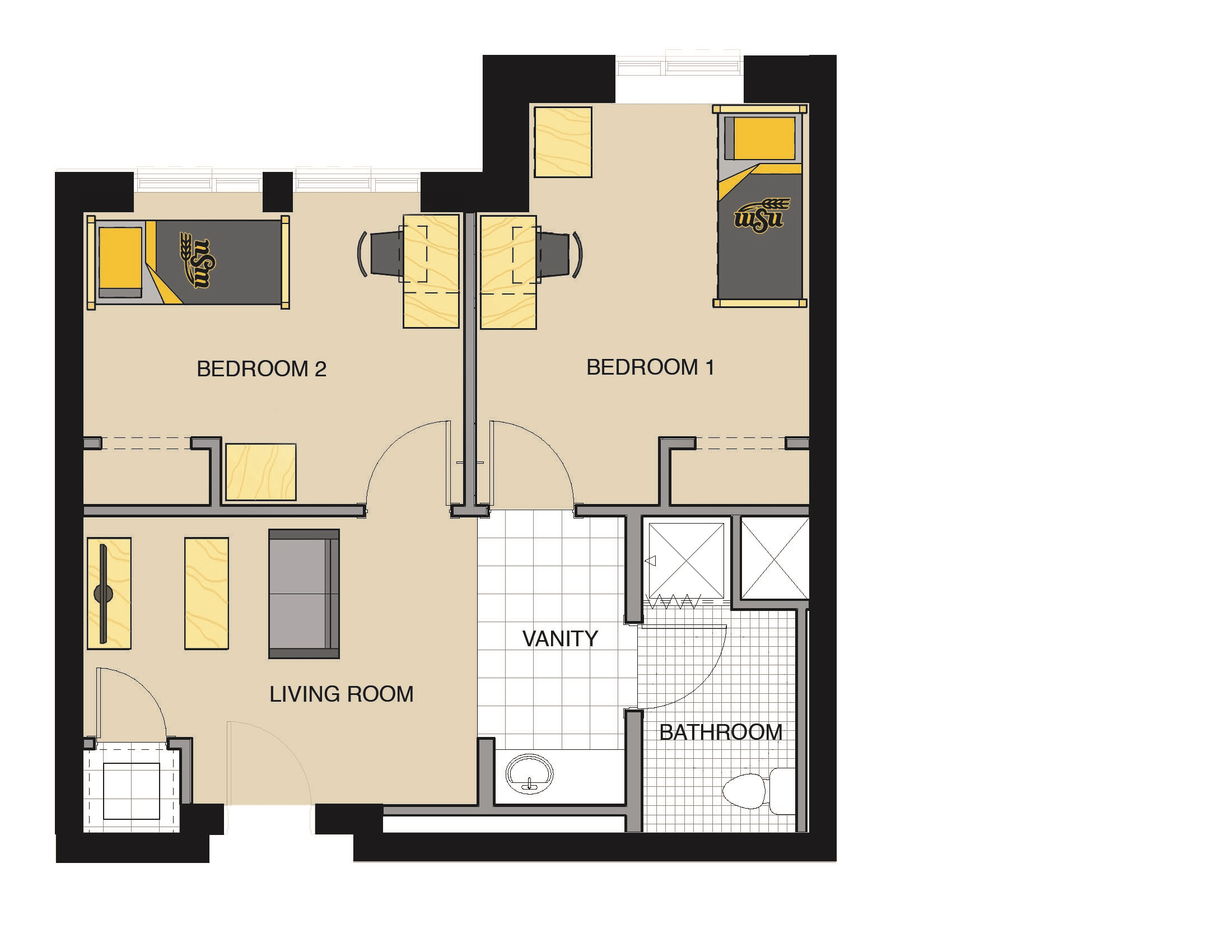
ALT-Text:
The Single 2 Bedroom Suite provides a private room for each resident with a bed, desk, dresser, and chair. In the common room area, there is a couch and coffee table. The suite contains 1 bathroom with shower, vanity, sink and toilet.
NOTE: For larger, more intricate floorplans such as houses, building floors, outdoor areas, parks, arenas, concert/performance spaces, and so forth, more detail may be desirable. Examples of such things to consider would be amenities (recreation areas, game rooms, lounges, swimming pools, sporting facilities, telephones, etc.), entrances and exits (doors, escalators, elevators, etc.), emergency exits, and emergency resources (fire alarms, fire extinguishers, fire hoses, wall-mounted defibrillators, etc.).
ALT-Text for Art Pieces
Considerations and Recommendations
- Title and information about the work, such as the artist's name, the piece's name, year/date of the piece's creation, and the medium of the piece normally accompany the piece in the body text or in an image caption. As such, this information does not need to be incorporated in the ALT-Text as well.
- Try to keep the description of the piece to a sentence or two at most.
- What is the piece in and of itself? A painting? A sculpture?
- If the medium or nature of the piece is unusual or not widely known, or if it applies more context to the piece, defining the medium type or process can aid in description - see the ALT-Text of Deborah Butterfield's Untitled below for an example of providing the process of creation to better describe the piece.
- Many pieces will have one or more attention focus points within them, key visual items that will be noticed first. For example, in a painting of a flower-filled vase sat on a red and white checkered tablecloth, the vase and flowers would be the focus point with the checkered tablecloth the backdrop. In this case you could start your description with the vase and flowers, then move on to describing the tablecloth in the background.
- Do not interpret the piece, merely describe it - remember, the meaning of a work of art is subjective to the individual experiencing it.
- Write in complete sentences rather than fragments or individual points for easier listenability.
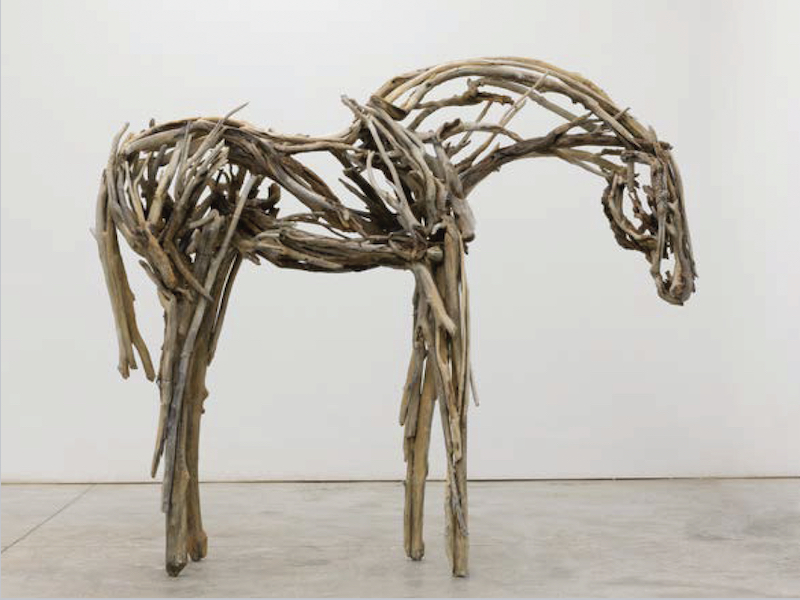
Deborah Butterfield, Untitled, 2020. Cast bronze. 82 by 97 by 24 inches. Barton School of Business Woolsey Hall purchase.
ALT-Text:
Many long, narrow bronze pieces cast from wood and sticks make a general figure of a horse. The perspective is from the horse's right side, and its tail and head are in a lowered pose.
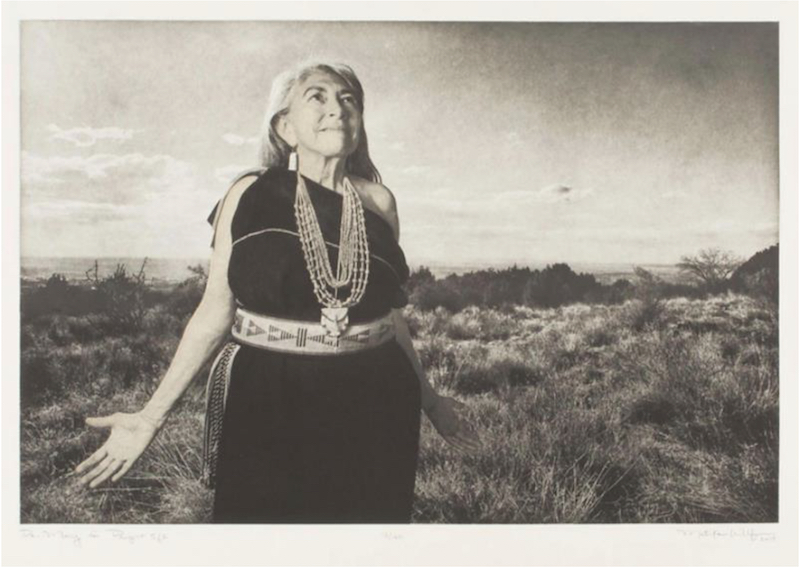
Matika Wilbur, Dr. Mary (Project 562), 2015. Photogravure print on paper, 21 13/32 x 28 ½ inches, Ulrich Museum of Art, Museum purchase.
ALT-Text:
Dr. Mary, a Native American woman in cultural dress, stands on a grassy hill during the daytime. She looks up toward the sky to our right with her arms outturned, palms facing outwards.

Faith Ringgold, Sunflower Quilting Bee at Arles, 1996. Color lithograph on paper, 22 ½ x 30 inches. Ulrich Museum of Art, Museum purchase by exchange of the Gifts of Daniel Spiegel, Frederick Zimanand Sol Roth.
ALT-Text:
Eight African American activists standing in a line in a field of trees and flowers holding up a quilt with a flower pattern. From left to right, the activists are Madam C.J. Walker, Sojourner Truth, Ida B. Wells, Fannie Lou Hammer, Harriet Tubman, Rosa Parks, Mary McLeod Bethune, and. Ella Baker. Vincent Van Gogh stands off to the right observing the scene. Toward the bottom left the artist has placed herself, also holding up part of the quilt. A quilting bee is an American tradition with a group of family and friends making a quilt together. Arles is a town in France.
ALT-Text for Mathematical/Scientific Images and Diagrams
Creators and editors may wish to use images such as diagrams or applied mathematical formulae on their webpages. The most common ALT-Text mistake is simply noting what the image is in general, such as "Exploded diagram of (machine)," or a "Diagram of (formula)" that provides little to no detail. "Computer screen showing data/charts/graphs." What is the data? What are the charts or graphs? What is the source of the information? If it's not obvious, what is the importance of the information and how and/or why was it generated?
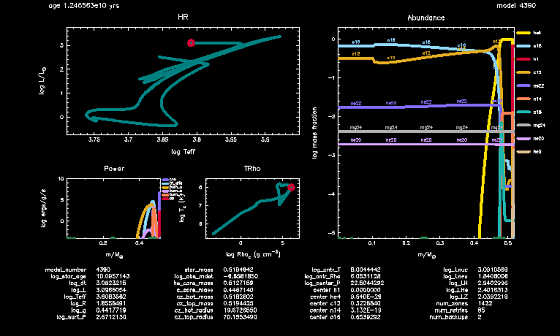
ALT-Texting these types of images is best handled in the same way as infographics - by writing out the data as well as the data's applicability. What is the data, and what does it mean?
The same also holds true for graphs and charts illustrating mathematical formula in action, but should include formula name, principle, and goal. In addition, a mathematical graph or chart should explain the process that the graph or chart is demonstrating.
Sometimes screenshots like this are used not to give detailed data information, but to illustrate an application or tool that was used. For example, giving samples of the capabilities of an application can be a strong promotional tool for a department or an educational discipline. If this is the case the ALT-Text would focus less on the data and its applicability and more on the function and usefulness of the application.
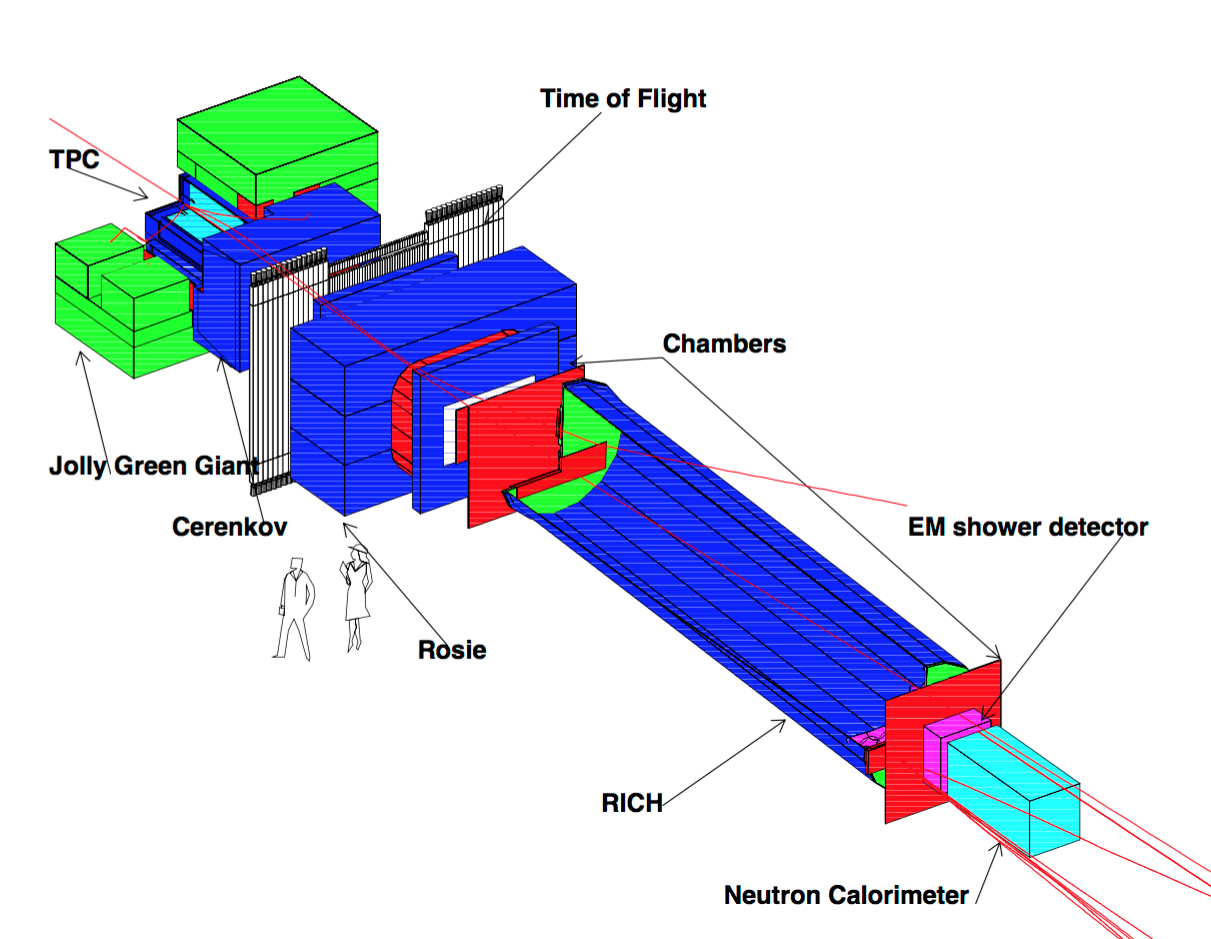
For a mechanical diagram, a good ALT-Text would:
- Name the complete device
- State the complete device's function
- Go through the individual components of the device, preferably in logical order of operation
- Explain how each individual component contributes to the whole function of the device

Here we have an experiment or process illustrated somewhat as a map, somewhat as a process, and somewhat as a diagram.
- What is the experiment or process being carried out here?
- What equipment is being used to carry this out?
- What are these locations - not just in name but in general function or goal?
- Where are these locations?
- What is the distance? Is the distance significant to the process?
- What was the goal, and what was the result?