

HRL HAPPENINGS
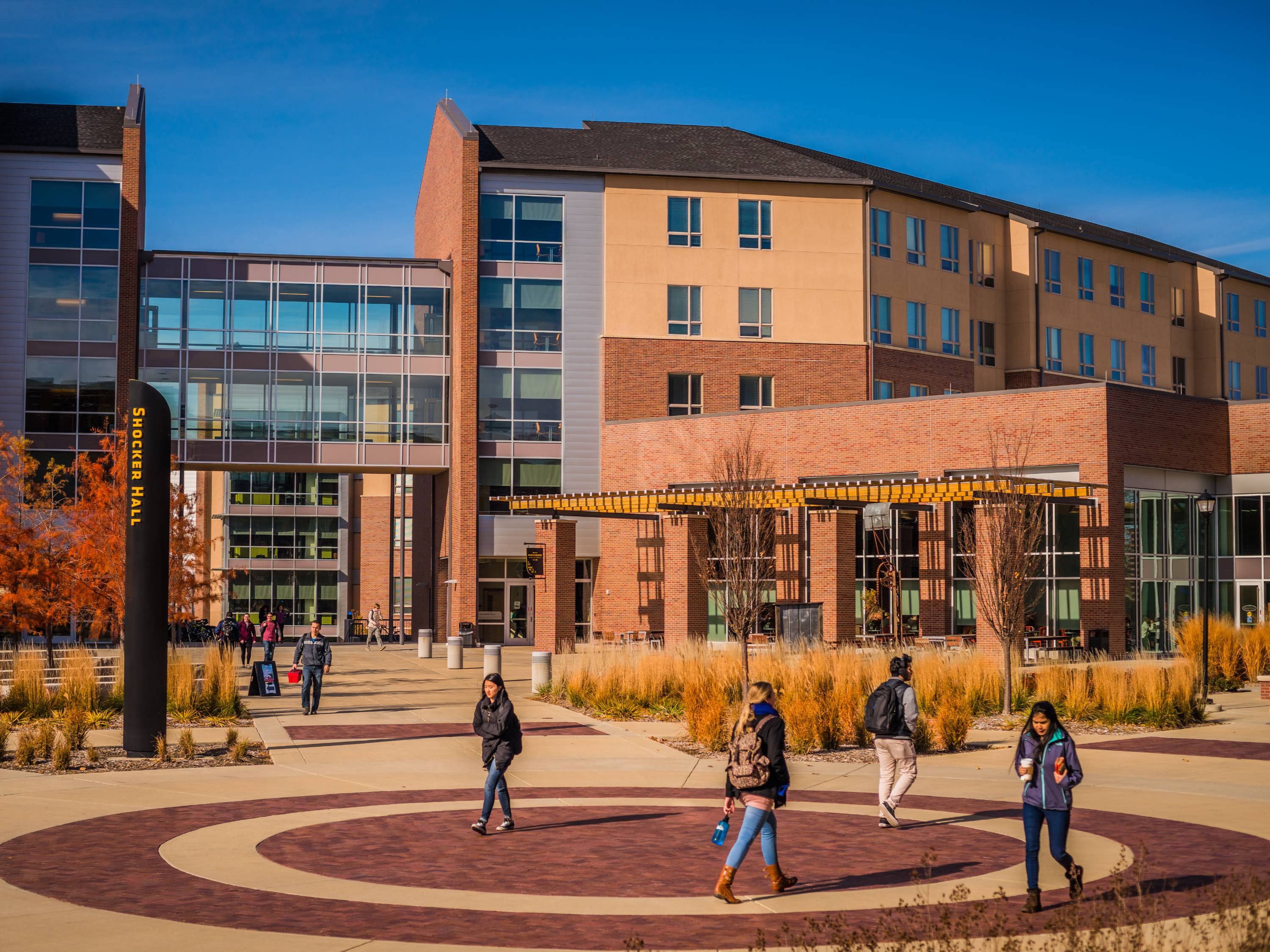
Welcome to Shocker Hall! We hope you enjoy living in the heart of Shocker Nation and being a part of this amazing community. In Shocker Hall, you have it all — community, convenience, and the chance to really experience college. The hub of campus, the Rhatigan Student Center, is just moments from your front door, and the Shocker Dining Hall is even closer! You can grab a bite to eat, play pool, check your mail, study, bake cookies, or just hang out with friends — all from the comfort of your new home away from home.
DESK HOUR AND SERVICES
The Shocker Information Desk is open 24/7! Our friendly staff can assist you with mail, packages, equipment checkout, and questions. The information desk also strives to ensure the safety and security of all residents. If you ever witness any suspicious behavior, non-residents who are not being escorted by a resident, or policy violations occurring, please contact any of our staff. If you see something, say something!
The Shocker Hall information desk offers many services and items for residents to checkout. Some of the most popular items include:
- Campus maps
- Moving Bins
- Cleaning kits
- Kitchen supplies
When you receive mail, you will be notified via email. Bring your WSUID to the Shocker Hall Information Desk and our staff will be able to assist you.
Desk hours may be altered on holidays and breaks.
KEY & DOOR ACCESS
We use digital and physical keycards to allow students access to their suites and rooms. Before you arrive, download the JustIn Mobile app to access your key at check-in.
You will need your Shocker Card to access the outside entrances of your building. If you lose your Shocker Card, you will need to obtain a Temporary Access Pass until you can replace your card over at the Shocker Card Center in the RSC. Temporary Access passes may be obtained at the Shocker Hall Information Desk. If you lose your temporary access card, you will be charged $25.
If you are locked out of your room, come to the Information Desk and one of our staff will escort you to your room to let you in.
EMERGENCY
Get the emergency information you need instantly and effortlessly! With the Shocker Alert System, the University will contact you by email the moment there is an emergency or weather alert that affects the campus. To sign up for text alerts through our emergency notification system, log in to the myWSU portal and select the Shocker Alert link in the top center box of your Home tab.
UNIVERSITY POLICE & SECURITY
The WSU Police Department is here to ensure that thee ntire campus community receives quality law enforcement services in a fair and compassionate manner. The officers and staff strive to enhance the educational experience of students by providing them with guidance and support. Some of the extra services UPD provides include jump starts, instructions on how to change a tire, and safety escorts.
SAFETY ESCORTS: Oftentimes, students and employees need to be on campus at night or during odd hours of the day and would feel more comfortable having someone walk with them. If you need a Safety Escort, please call the University Police Department at 316-978- 3450. Tell the dispatcher where you are and request anescort to a campus location. They will dispatch an officer to walk with you to your desired location.
THE GAME AND MEDIA ROOMS
The Game and Media Rooms are located on the first floor by the main lobby. There is a pool table, ping-pong table, foosball table, TVs and a kitchen area. It's the perfect spot to study, hang out with friends, and play games!
DINING SERVICES
Dining Services is committed to supporting students by offering a wide variety of healthy, delicious meal options across campus!
SHOCKER DINING HALL
Shocker Dining is the all-you-care-to-eat cafeteria on campus with 11 unique food
service platforms where you are sure to find something that meets your taste preference.
If you have a meal plan, you’ll use your meal swipes here, but anyone can eat at Shocker
Dining by paying with cash/credit at the entrance.
Shocker Dining Hall Hours:
- Monday-Thursday: 7:00am–10:00pm
- Friday: 7:00am–8:00pm
- Saturday: 10:00am–1:30pm and 5:00pm–8:00pm
- Sunday: 10:00am–1:30pm and 5:00pm–10:00pm
GROUNDHOUSE
The Groundhouse is a coffee shop/convenience store located off the east side of Shocker
Dining. It has freshly made pastries, salads, sandwiches, snacks, bottled beverages
and coffee. Students with meal plans can use their Dining Dollars here or cash/credit.
Groundhouse Hours:
- Monday-Friday: 7:00am–12:00am
- Saturday: 7:00am–10:00am
- Sunday: 7:00am–10:00am and 8:00pm–12:00am
SHOCKER SPORTS GRILL & LANES
Shocker Sports Grill & Lanes is a great place to relax and have fun with your friends. Bowling, billiards, darts, video games, parties, tournaments, food, can ALL be found in the lower level of the Rhatigan Student Center. Students can use Dining Dollars or cash/credit to purchase food.
OTHER DINING OPTIONS
There are a variety of other retail dining options on campus to fit your needs, including Starbucks, Sushi Do, Chick-fil-A, Panda Express, and Freddy’s Frozen Custard & Steakburgers. These locations all take Dining Dollars and are located on the first floor of the Rhatigan Student Center. Fuzzy's Taco Shop, Jersey Mike's, Sesame, Sungrano Pizza, Social Tap, Pizza Shuttle and Starbucks are all located on campus as well in the Braeburn Square area. These locations do not take Dining Dollars.
PARKING ON CAMPUS
To park on campus, you will need to purchase an ePermit through your myWSU portal. Green or Green-and-Yellow-Striped lots are designated student parking lots. Students must have an ePermit to park on campus from 7am to 5pm when school is in session. The parking lot in front of The Suites and in front of The Flats are both Green lots. Do not park in Yellow lots or any Red parking spots on campus or you will receive a large parking ticket!
Please visit wichita.edu/parking for more information. Students parking on campus are required to have an ePermit, which is a virtual parking permit where your license plate serves as your permit. Student ePermits are $150 for the year or $75 for the semester. A student can register up to 5 vehicles on a single ePermit, but only one vehicle can be parked on campus at any given time.
Visitors to campus may park during the enforcement period (7 a.m.-5 p.m. on weekdays when classes are in session) without an ePermit for 3 calendar days during each semester. On your fourth visit to campus during a semester, you'll need to purchase an ePermit online. Visitors may park in lots with green, yellow or yellow-and-green-striped signage (including motorcycle areas). They may not park in red parking lots.
RAVE GUARDIAN MOBILE APP
As part of Wichita State’s ongoing commitment to campus safety, the university is launching Rave Guardian, a free mobile app for Android and Apple smartphones that turns any smartphone into a personal safety device. Download the app today!
POLICIES
All students have the responsibility to abide by university and housing policies, and to report safety concerns and policy violations that are taking place in their room, suite, floor, or building. The Office of Student Conduct and Community Standards is located in Shocker Hall and works with the Housing office to ensure students learn from their decisions.
Please visit wichita.edu/housing and scroll to the bottom of the main page to find the link to a digital copy of the Housing Handbook.
You are also responsible for following the University’s Student Code of Conduct, which may be viewed at wichita.edu/about/student_conduct.
SHOCKER CARDS
You’ll need your Shocker Card for many things on campus, such as accessing the Heskett Center and Shocker Athletics games, using the library, eating in the dining hall, and getting into Shocker Hall! To get your Shocker Card or replace a lost Shocker Card, please stop by Room 105 on the first floor of the RSC.
PAYING YOUR HOUSING BILL
You can view and pay your Housing bill online by logging into your myWSU student account suite on the MyFinances tab.
If you have questions regarding your bill, please callthe Housing Office.
MAINTENANCE REQUESTS
Is something broken or not working properly in your room? Put in a maintenance request via your housing portal when you log into your MyWSU. There will be a tab at the top of the page labeled 'Maintenance', where you can submit a request and find updates about requests you have submitted.
GETTING CONNECTED
WIRELESS INTERNET
Conveniently, there is wireless Internet (WiFi) access in every building on campus. Simply log in to the WSU Secure network using your myWSU ID and password. If you are having trouble, please contact the Technology HelpDesk. The WSU Guest network is available with the password: shockers.
TRASH & RECYCLING
Please be sure to take yourtrash&recycling to the dumpsters located on the south side ofthe parking lot. Do not dispose of your trash in the common area trash cans or leave trash bags in the hall or stairwells. It takes everyone to keep our buildings clean and smelling nice.
WSU CARES: CARE TEAM
CARE Team is a collection of WSU staff who are committed to helping ensure students' needs are met in order to promote wellness and academic success. We provide a proactive and supportive multidisciplinary team approach to prevention, assessment and intervention for situations that may interfere with members of campus functioning to their full potential.
If you are concerned about a fellow student or need some help yourself, please submit a CARE report at wichita.edu/care.

TRANSPORTATION: ON CAMPUS AND LOCAL
Through an expanded partnership with Wichita Transit, WSU students, faculty and staff will be able to move easily around WSU's campus and get regular service to WSU South, WSU Tech campuses, WSU Old Town and downtown Wichita.
Among the great features:
- Full service on routes even when classes are not in session.
- Bicycles are allowed! There are bike racks on each bus.
- Electric buses will be the primary vehicles on each route.
- Real-time GPS tracking of all buses through Wichita Transit'sMyStop app.
- Free transfers to intersecting Wichita Transit routes with Shocker ID.
- Free WiFi on every bus.For bus routes & schedules, visit wichitatransit.org. Get the MyStop App!
The Wichita Transit MyStop app on your smart phone or computer lets you track buses so you'll always know when the next bus will arrive. Get the app in the Apple App Store, on Google Play or for desktop.